
Screenshots
A glimpse of what you get when you install Piano MIDI Player on your Mac.
Features
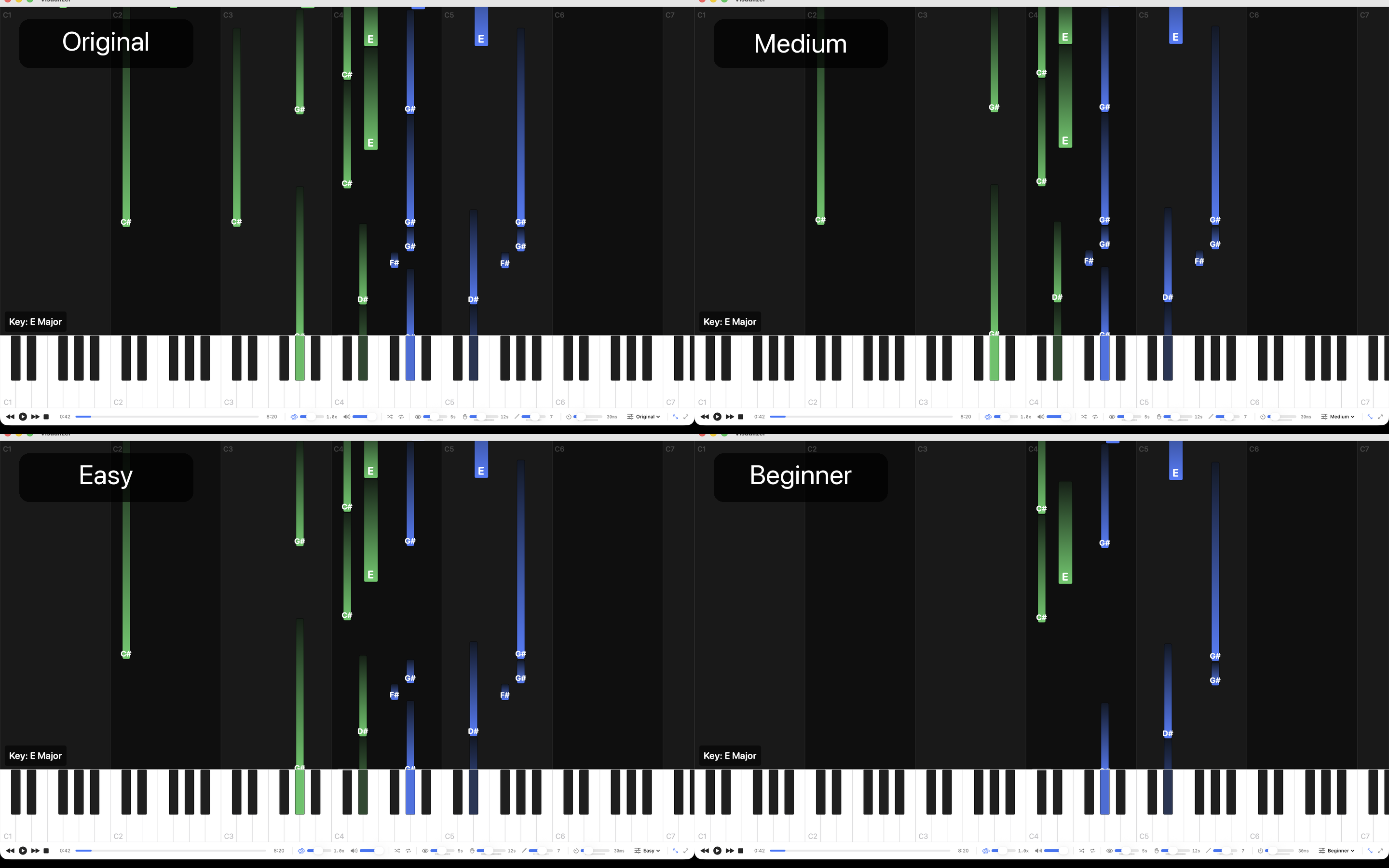
A piano practice tool, not a general MIDI player. Same file — four views. Play what you can, see what you'll grow into.
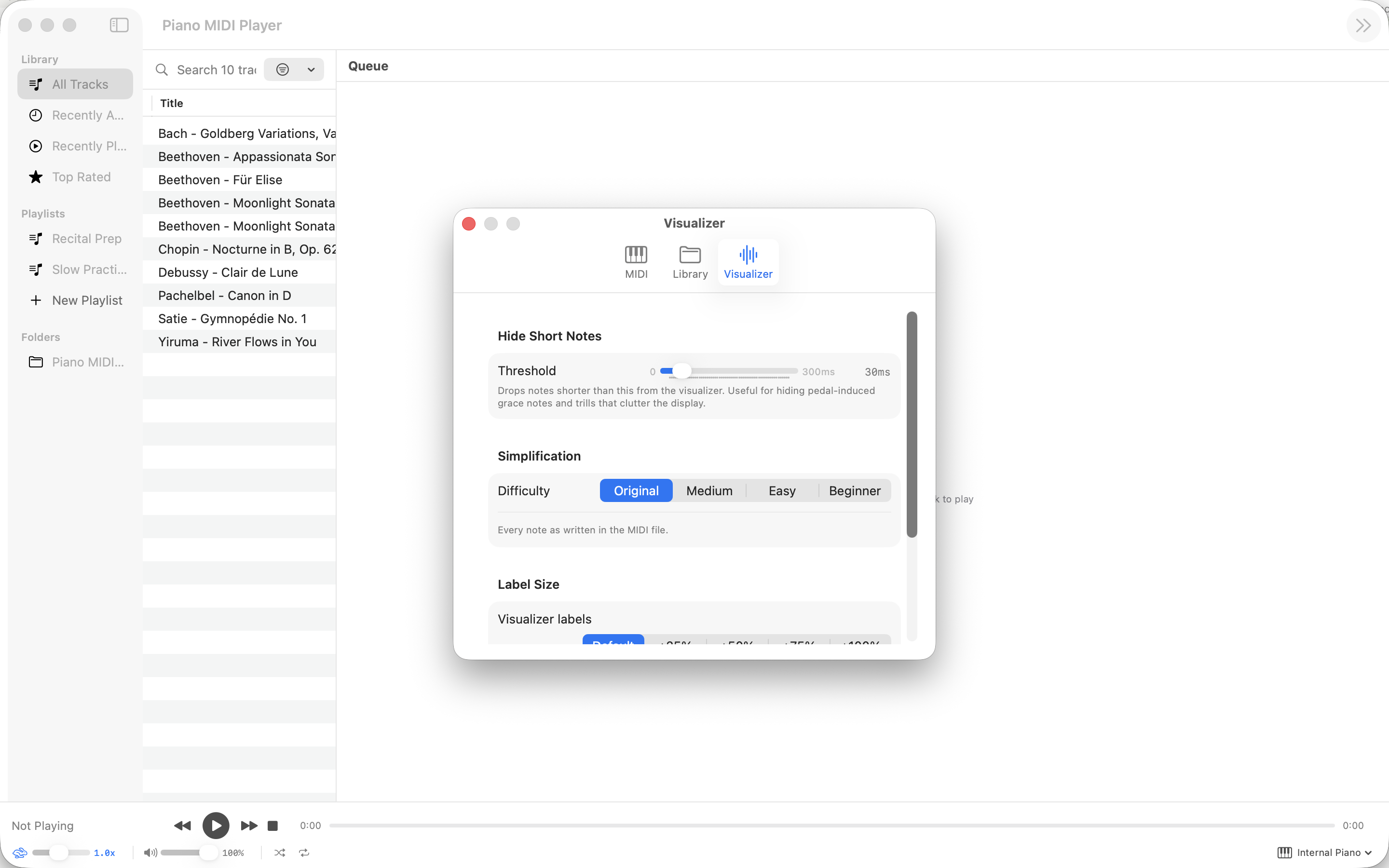
Four Simplification Modes
Original shows every note as written. Medium trims the ornaments. Easy keeps just melody and bass. Beginner gives you one note per hand at a time — spaced so you can follow in tempo.
Automatic Hand Splitting
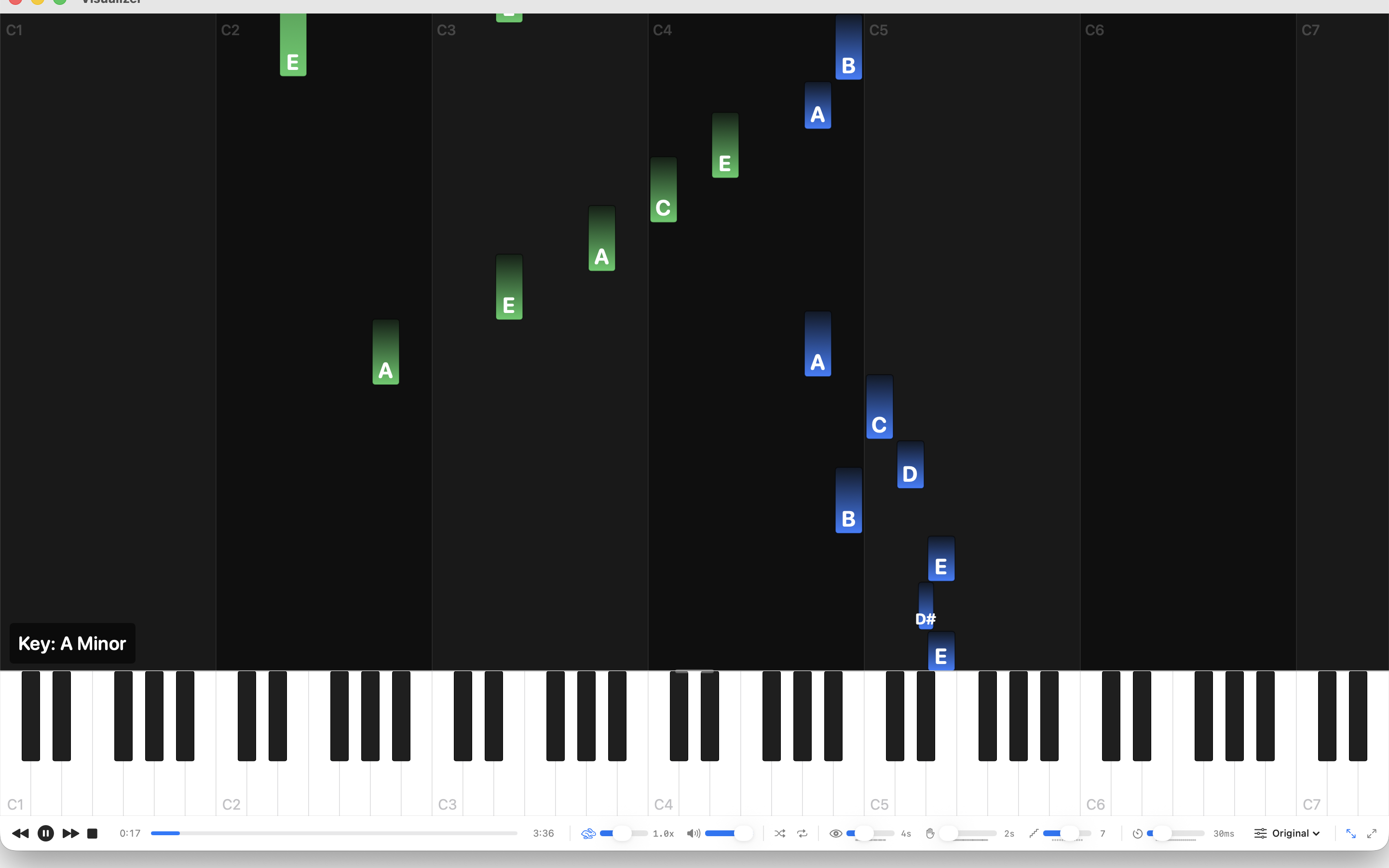
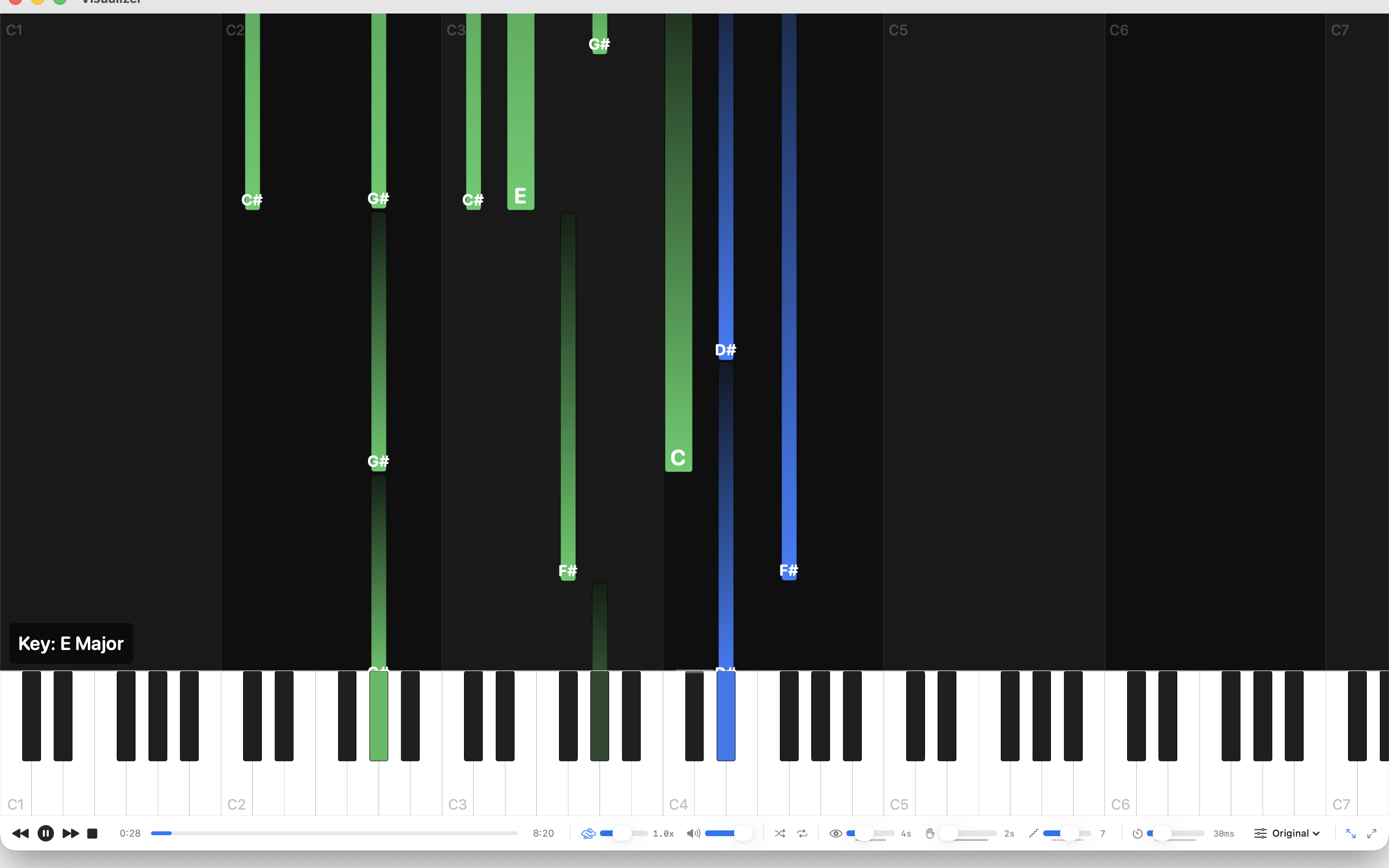
Left and right hands are detected automatically and colour-coded on the falling-note display. It snaps to the real split points in the music — no more guessing which hand plays what.
Piano Roll Visualizer
Watch notes fall onto a full 88-key keyboard. Adjustable look-ahead, zoom, and keyboard height. Pause, scrub, or rewind to drill a tricky passage — every setting remembers where you left it.
Connect Any MIDI Piano
Over USB or Bluetooth. Play along with your external keyboard, or listen through the built-in DLS synth. Full range, full velocity, full sustain pedal.
Smart Library
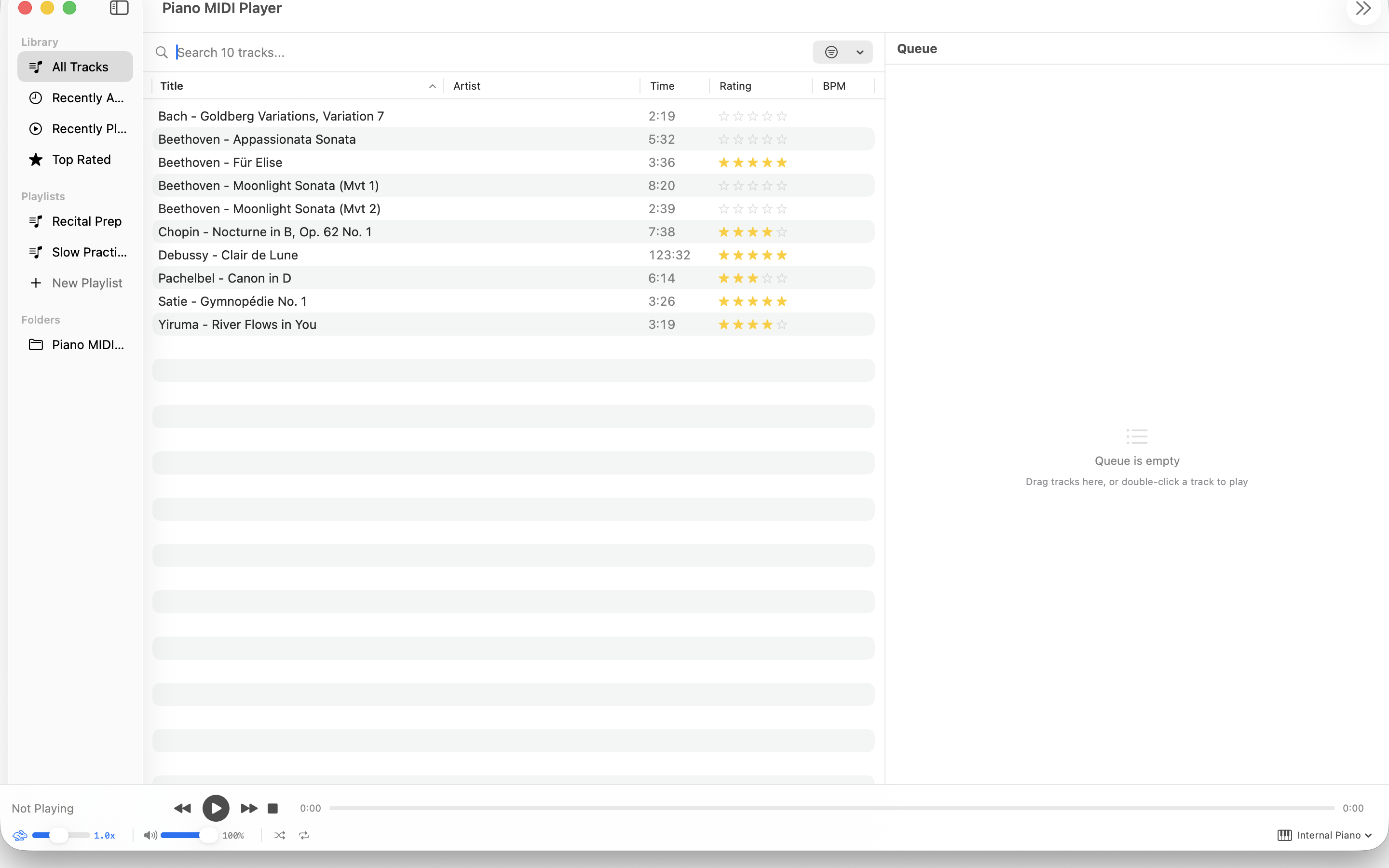
Add folders of MIDI files and let the app scan them. Search by title, artist, or BPM. Rate favourites one to five stars. Build playlists. Drag from Finder. Everything persists.
Designed for Practice
Slow any piece to 25% speed without changing pitch. Hide grace notes and ornaments. See the detected key signature. Every setting remembers where you left it.
Built for piano practice.
This isn’t a general MIDI player — it’s a practice tool for piano students, teachers, and hobbyists. Point it at any piano MIDI transcription and it adapts what you see to your level. Beginners watch one note at a time. Intermediate players see the melody without the ornaments. Advanced players see everything. Same file — four views.
Why simplification matters
Most piano MIDI transcriptions are virtuosic — fine to listen to, impossible for a beginner to play. Piano MIDI Player shows you what actually matters at your level: the melody, the bass, the shape of the harmony. Turn up the difficulty as you improve. Same file, different view.
Hand splitting that just works
Watching a pianist, you know which hand plays what. Watching a piano roll, you don’t — until now. Piano MIDI Player detects the left/right split automatically for every piece in your library and colours the keyboard accordingly. It works even when the MIDI file was recorded on a single track.
Who it’s for
- Piano students learning to read transcriptions
- Teachers preparing simplified arrangements for their students
- Hobby pianists who just want to play along with the classics
- Anyone learning a new piece who wants to drill it hands-separate, then together, at any speed
Also coming to iPad
An iPad version of Piano MIDI Player is in development. Same four simplification modes, same piano roll, same automatic hand splitting — rebuilt for touch and for practice away from your desk.
Piano MIDI Player does not collect, transmit, or sell any of your data.
System Requirements
- macOS 14.0 (Sonoma) or later
- Apple Silicon or Intel Mac
- USB or Bluetooth (optional — for external MIDI keyboards)
- iPad version in development